Camera, 63 camera, Starting the camera – LG LGM320N X Power 2 Instrukcja Obsługi
Strona 193: Auto mode
Useful Apps
63
Camera
Starting the camera
You can take a photo or record a video to cherish all of your memorable
moments.
Tap .
•
Before taking a photo or recording a video, wipe the camera lens with a
soft cloth.
•
Be careful not to stain the camera lens with your fingers or other
foreign substance.
•
If the battery level is lower than 5%, charge the battery before using
the camera.
•
Images included in this user guide may be different from the actual
device.
•
Photos and videos can be viewed or edited from the Gallery.
See
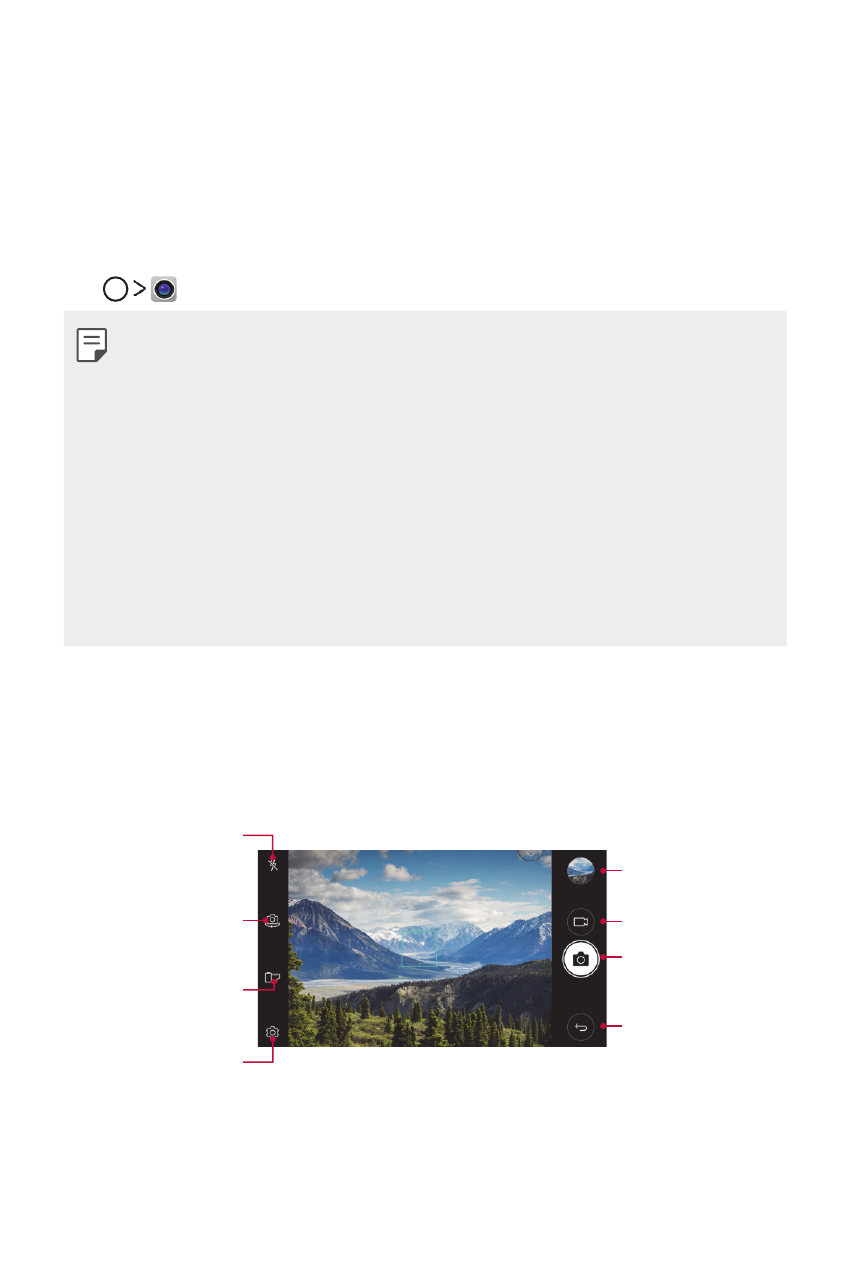
Auto mode
You can take photos or record videos by selecting a variety of shooting
modes and options.
Turn the flash on
or off.
Switch between front
and rear cameras.
Apply a film filter
effect.
Change the camera
options.
Start the Gallery.
Record videos.
Take photos.
Back to the previous
screen.